
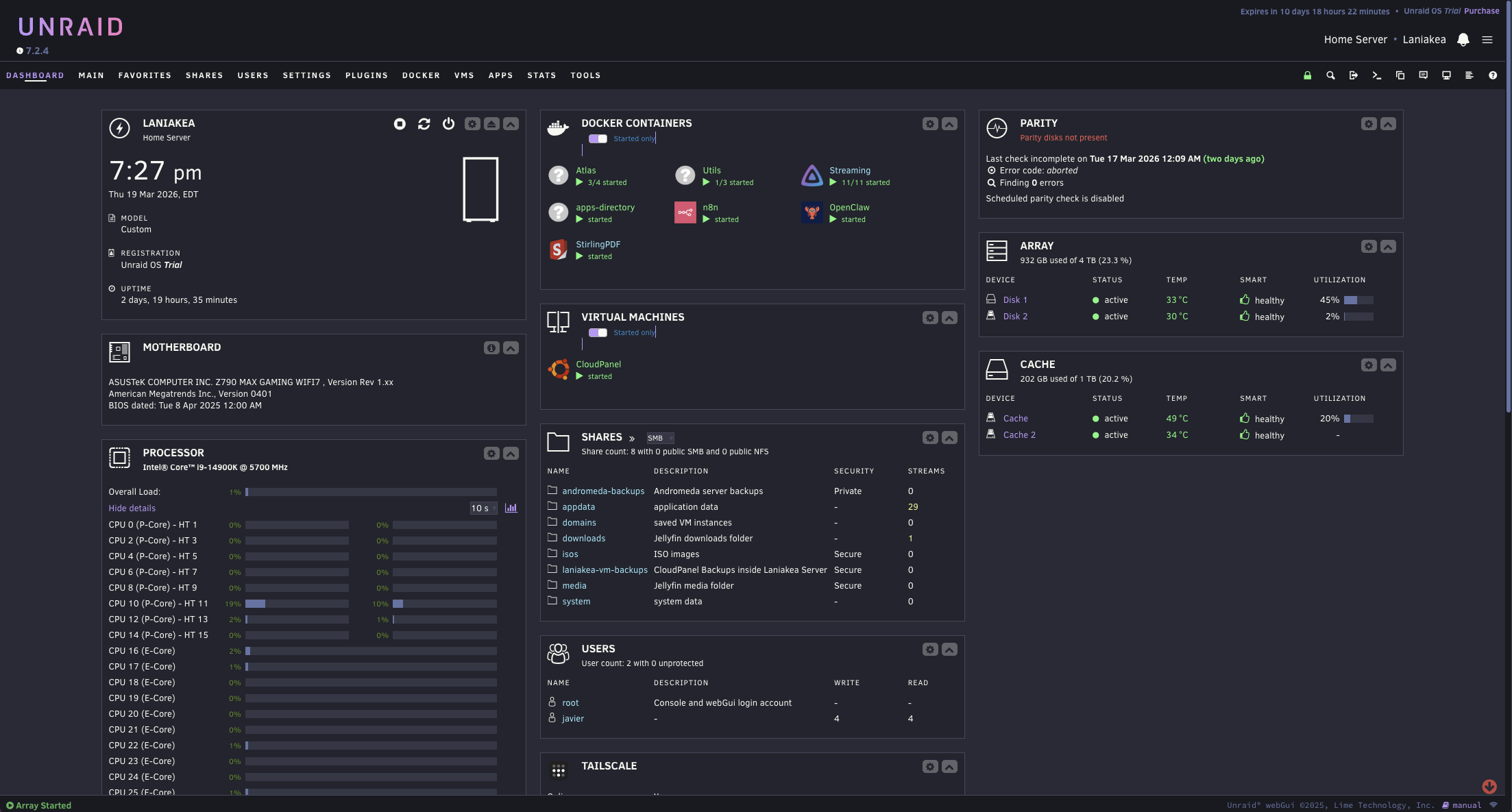
§Unraid
§Install with the Unraid Plugin Manager
- Open the Unraid WebUI.
- Go to Plugins > Install Plugin.
- Paste this URL:
https://github.com/dracula/unraid/raw/refs/heads/main/dracula.theme.plg
- Click Install.
§Install with the Terminal
SSH into your Unraid server, then run:
plugin install https://github.com/dracula/unraid/raw/refs/heads/main/dracula.theme.plg
§Update the theme
Run the following commands to install the latest version:
rm -f /boot/config/plugins/dracula.theme/dracula-theme.css /usr/local/emhttp/plugins/dracula.theme/dracula-theme.css
plugin remove dracula.theme
wget -q -O /tmp/dracula.theme.plg "https://raw.githubusercontent.com/dracula/unraid/main/dracula.theme.plg?nocache=$(date +%s)"
plugin install /tmp/dracula.theme.plg
§Uninstall the theme
plugin remove dracula.theme
rm -rf /boot/config/plugins/dracula.theme
§Activate the theme
- Go to Settings > Utilities > Dracula Theme.
- Set Enable Dracula Theme to Enabled.
- Click Apply.
- Refresh your browser.