
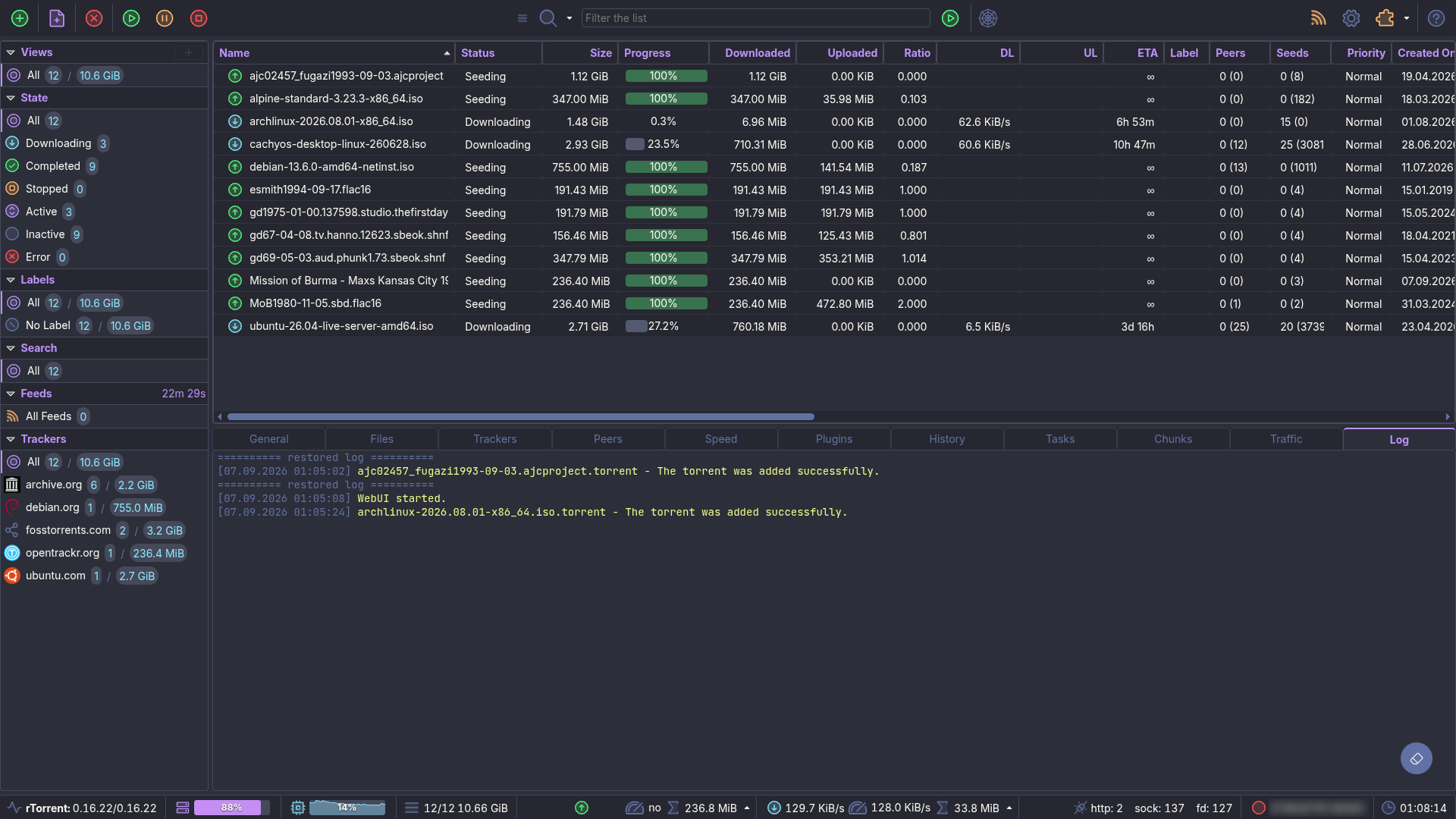
§ruTorrent
§Install using Git
If you are a Git user, you can install the theme and keep it up to date by cloning the repository:
git clone https://github.com/dracula/rutorrent.git
cd rutorrent
§Install manually
Download Dracula.tar.gz from the latest release and extract it. The archive contains the Dracula folder used in the next step.
§Activating theme
-
Copy the
Draculafolder into your ruTorrent themes directory:cp -R Dracula /path/to/ruTorrent/plugins/theme/themes/ -
Open ruTorrent in your browser.
-
Click the Settings button (gear icon) in the toolbar.
-
On the General page, find Theme next to the language selector.
-
Select Dracula from the dropdown.
-
Click OK to apply.
-
Reload the page. ✨
§Update an installed theme
Pull or download the latest release, copy the new Dracula folder over the installed one, and reload ruTorrent.
If the theme still looks unchanged, your browser is likely serving cached stylesheets. ruTorrent versions theme assets with its own release number, so the asset URLs do not change when this theme is updated, and a hard reload might not fetch them. Open ruTorrent in a private window or clear the site's cache.