
§Postman
§Install using Git
Clone the repository to keep the theme up to date with the latest changes:
git clone https://github.com/dracula/postman.git
§Install manually
Download the .zip archive from GitHub and extract it.
§Activating the theme
- Open Postman and go to File → Settings.
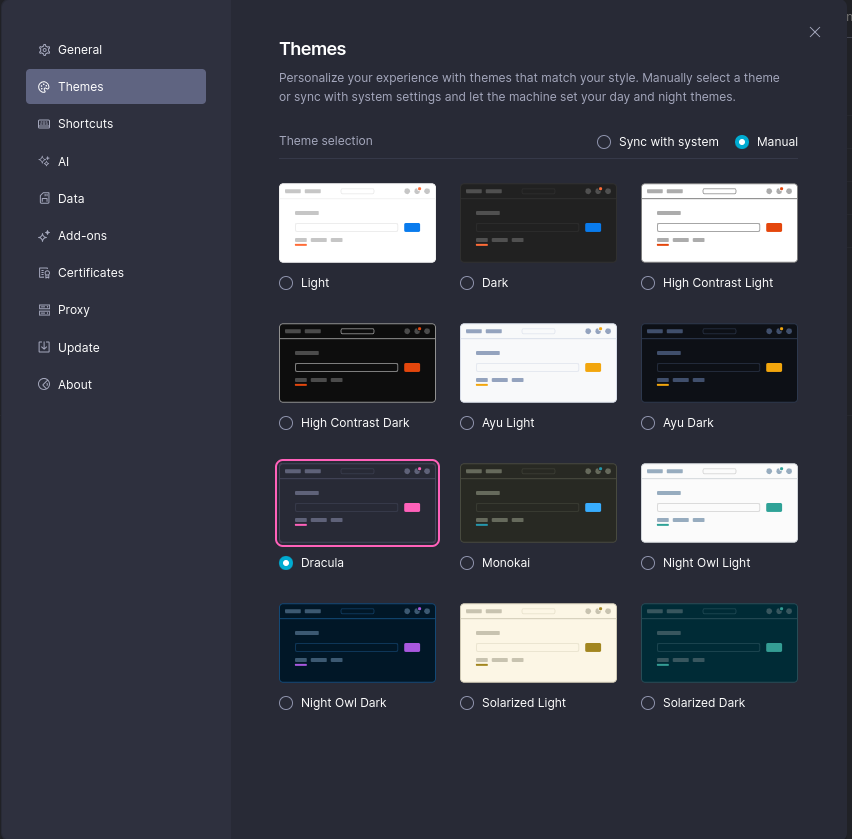
- Navigate to the Themes tab.
- Under Theme selection, choose either Sync with system or Manual.
- Sync with system — select Dracula from the dropdown.
- Manual — click on the Dracula swatch.