
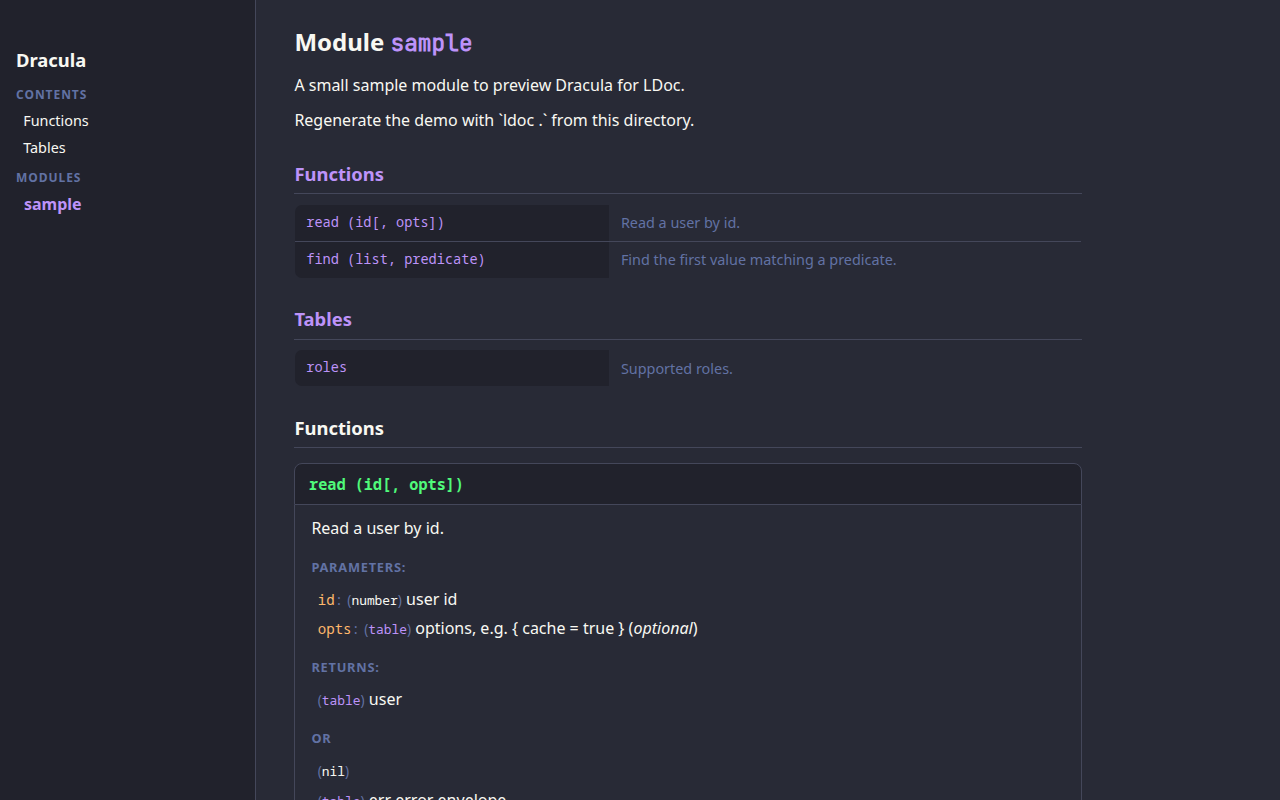
§LDoc
§Install using Git
If you are a git user, you can install the theme and keep it up to date by cloning the repository:
git clone https://github.com/dracula/ldoc.git
§Install manually
Download using the GitHub .zip download option and unzip it.
§Activating theme
-
Place the directory that contains
ldoc.csssomewhere near your project (or use the cloned repository as is); -
Point the
styleoption in yourconfig.ldat that directory:style = 'path/to/ldoc'or pass it on the command line:
ldoc -s path/to/ldoc . -
Generate the docs with
ldoc .— Boom! It's working ✨
§Running LDoc via Docker (optional)
No local LDoc install? The official image works the same way:
docker run --rm \
  -u "$(id -u):$(id -g)" \
  -v "$(pwd)":/data \
  -w /data \
  ghcr.io/lunarmodules/ldoc:v1.5.0 \
  .
Keep both the theme directory and your sources inside the mounted volume so the style path from config.ld resolves inside the container.
The theme works with LDoc's stock HTML template — no template changes are required.
To preview it, run ldoc . inside the sample/ directory.