
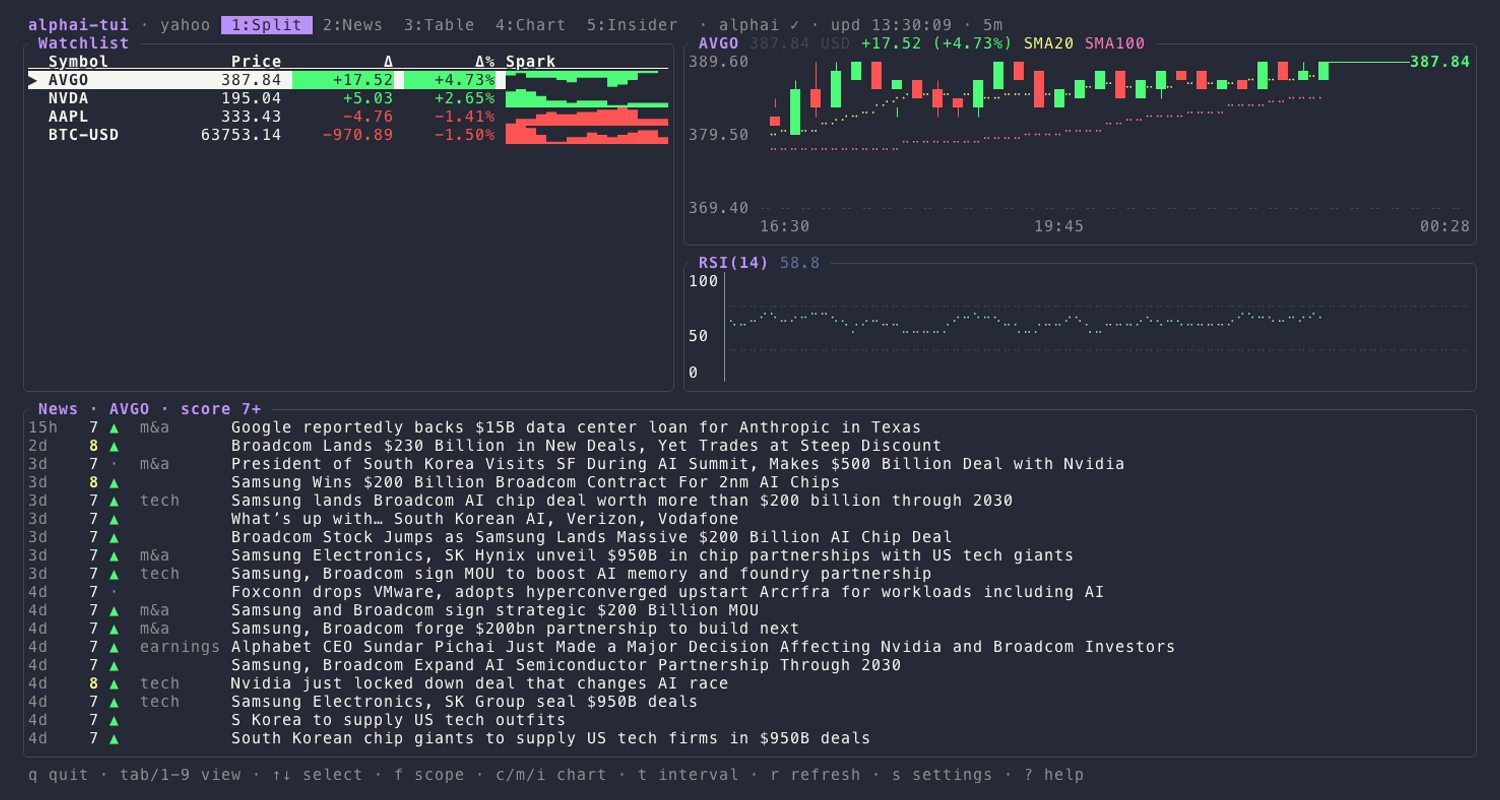
§alphai-tui
§Activating theme
The theme has shipped with alphai-tui since v0.11.0, so there is nothing to
download. Add these two lines to ~/.config/alphai-tui/config.toml:
[theme]
preset = "dracula"
To try it for a single run instead:
alphai-tui --theme dracula
Inside the app, p and P cycle through the color presets live. The Theme
row on the settings screen (s) does the same with a preview and saves the
preset you stop on.
§Install using Git
Only needed on versions older than 0.11.0, or if you want to start from the
palette and tweak a color or two. Clone the repo and paste the [theme]
section from dracula.toml into your config:
git clone https://github.com/dracula/alphai-tui.git
§Install manually
Download the GitHub .zip,
unzip it, and copy the [theme] section from dracula.toml into
~/.config/alphai-tui/config.toml.
Every color the views draw comes from a named slot, so any line you keep in your own config overrides the theme for that slot alone. The palette sets foreground colors only, which leaves a transparent or blurred terminal background untouched. Pair it with the Dracula terminal theme for the full look.