
§Tailwind
A tiny Tailwind plugin that brings the Dracula color palette into your project.
§Install using npm
Install the package as a development dependency:
npm install tailwind-dracula --save-dev
§Install manually
If you prefer, you can also clone this repository and copy what you need:
git clone https://github.com/dracula/tailwind.git
§Activating theme
- Add the plugin to your
tailwind.config.js:
plugins: [require("tailwind-dracula")()],
- Use Dracula colors in your classes:
<div class="bg-buffy">
  <p class="text-nosferatu">I vant to suck your blood...</p>
</div>
- Done - the Dracula palette is now available anywhere you use Tailwind colors.
Color naming has two options:
- Color names, such as
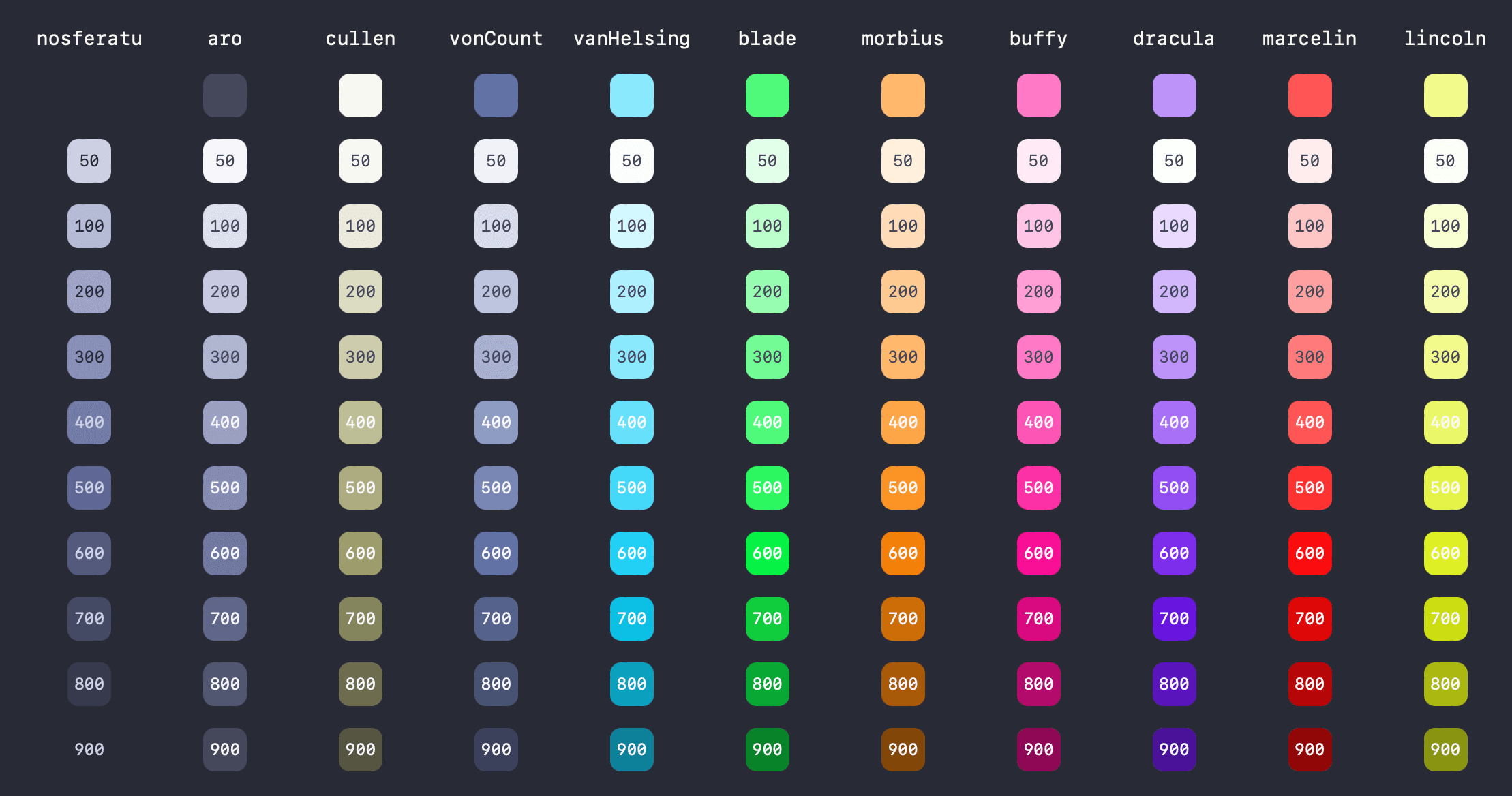
darker,pink, andpurple - Vampire names, such as
dracula,vonCount, andbuffy
Default Dracula color names can overlap with Tailwind default color names.
§Prefixing color names
To avoid naming collisions, pass a prefix for color-name aliases:
plugins: [require("tailwind-dracula")("dracula")],
Then use prefixed color-name aliases and unprefixed vampire aliases:
<div class="bg-dracula-pink">
  <p class="text-nosferatu">I vant to suck your blood...</p>
  <p class="text-pink-500">Tailwind is cool...</p>
</div>
To require the prefix for all Dracula color names, pass true as the second argument:
plugins: [require("tailwind-dracula")("dracula", true)],
Example:
<div class="bg-dracula-pink">
  <p class="text-nosferatu">This no longer works.</p>
  <p class="text-dracula-buffy">This works.</p>
  <p class="text-pink-500">Tailwind colors still work.</p>
</div>
§Changing color names
Import the color map and extend Tailwind with your own aliases:
const dracula = require("tailwind-dracula/colors");

theme: {
  extend: {
    colors: {
      ...dracula, // add all Dracula colors
      pinkish: dracula.buffy, // rename buffy
    },
  },
},
§Full color palette
For the full 50-900 scale, see All colors.